See Markdown as it’s meant to look.
Extremely fast — opens and renders documents instantly. Universal binary — native on Apple Silicon and Intel. Themes, live reload, table of contents, instant find, Quick Look.
Full app, no signup · buy once on the App Store, no subscription · Universal · macOS 15+
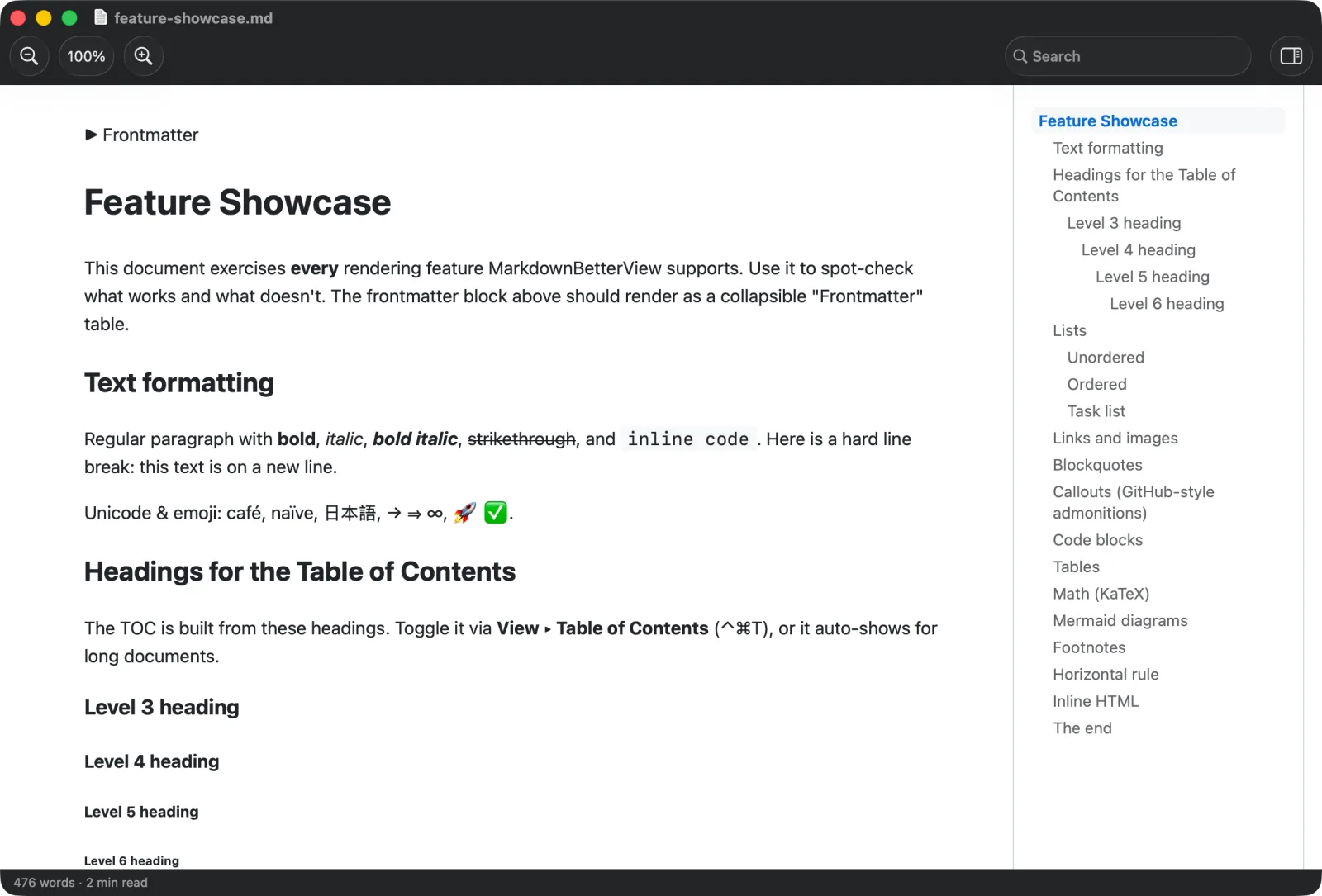
Live reload Themes + dark Table of contents Find Quick Look Folder → tabs Export PDF
// quick look
Preview without opening the app.
Press Space in Finder and read your Markdown rendered, right there — plus rich thumbnails in every folder.
// live reload
Save, and it’s already updated.
Edit in any editor — the view reloads instantly. No refresh, no flicker.
// themes
Five themes. Real dark mode.
Dracula, Solarized & more — switch live; follows the system appearance.
// navigate
Built for long documents.
Table of contents with scrollspy, instant find with match count, distraction-free reading mode.
// open
A whole folder, in tabs.
Point it at a folder — every Markdown file opens as a native tab.
Everything else
∑
Math KaTeX ◈
Mermaid diagrams ⇩
Export PDF & print 🔗
Deep links mdbv:// { }
Code highlight 30+ languages 🖼
Images lightbox 🔒
Private sandboxed · no tracking
Universal Apple Silicon + Intel